The guide. Everything it does, and how to use it.
For iPhone · version 1.0 · October 2026
Girl Math is for the things you want but don't need. You park them instead of buying them, they wait, and when the time is up you decide. Every nope adds its price to your receipt: money you didn't spend is money you made.
Getting started
Open the app and go. There's no sign-up, no email and no password. A short welcome explains the idea, shows the math, and helps you put Girl Math in your share menu.
Put Girl Math in your share menu
This is what makes parking take one tap from any app.
- In Safari, Instagram or any shop app, tap Share.
- Scroll the row of apps to the end and tap More.
- Tap Edit, then the green + next to Girl Math to add it to your favourites.
- Drag it to the top so it's always first. Tap Done.
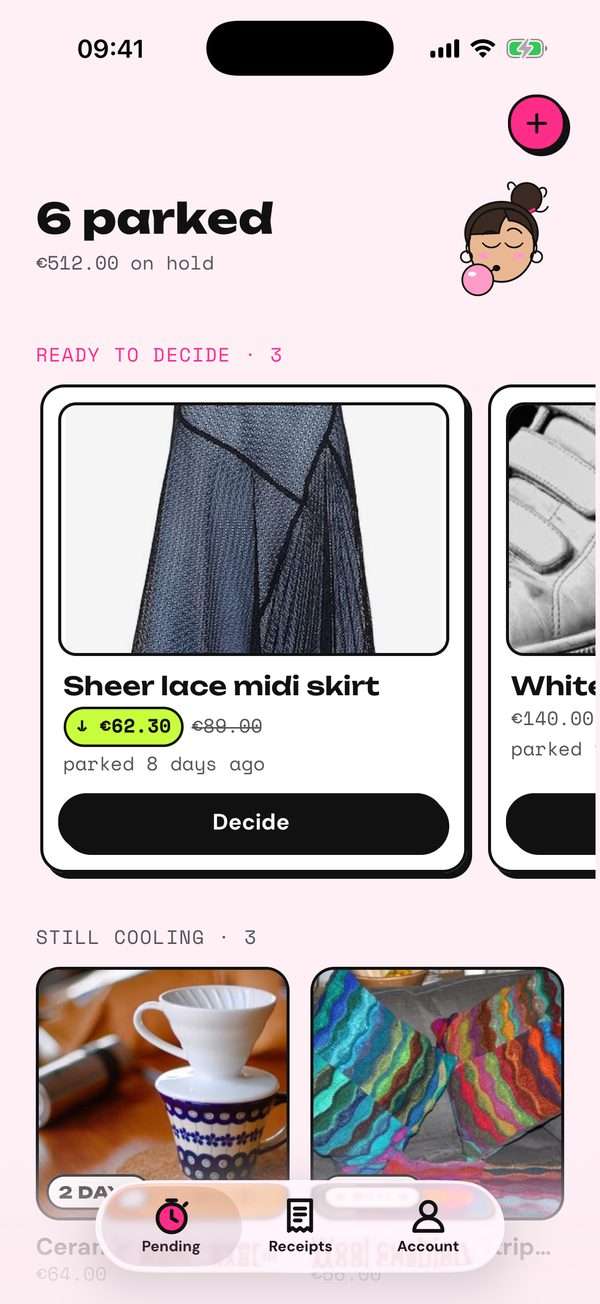
Park something
Four ways in, from wherever you saw it:
- Share it. From Instagram, Pinterest, TikTok, Safari, Chrome, Zara, H&M, Vinted: Share, then Girl Math. A "Hold up" card shows the name, price and photo, read from the page.
- Take a photo in the shop, or pick a screenshot. Girl Math reads what it is and its price.
- Paste a link. Copy the link in the shop app, then tap + and Paste.
- Type it. Name and price, nothing else needed.
While a link is being read, a pink bubble shows each step. It usually takes about 10 seconds. If it takes longer, you can park it as it is or type it yourself.
Choose how long it waits
3 days, 1 week or 1 month. The default is in Account, and you can change it for each thing. Optionally tag the mood you're in: bored, sad, celebrating or late night.
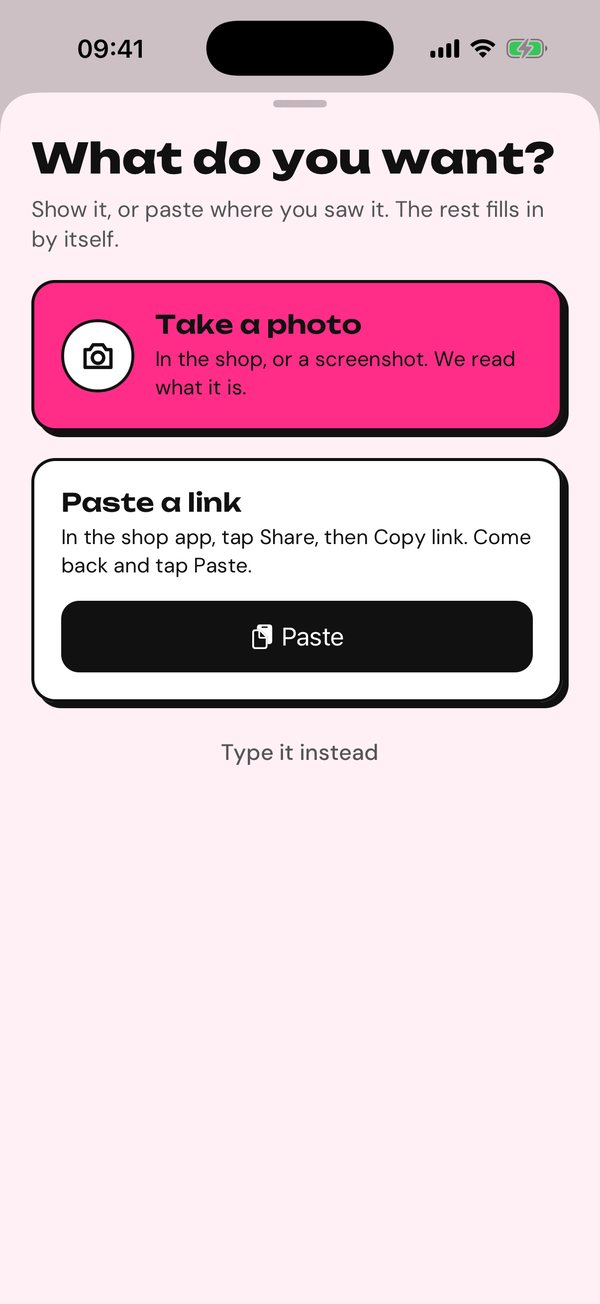
Pending
Everything you parked, in two groups.
- Ready to decide: the time is up. Swipe through the big cards and tap Decide.
- Still cooling: with how long is left on each.
If a shop lowered the price of something you parked with a link, the card shows the new price in a lime pill, with the old one crossed out.
When the last ready thing is decided, you get an "All decided" moment.
Decide
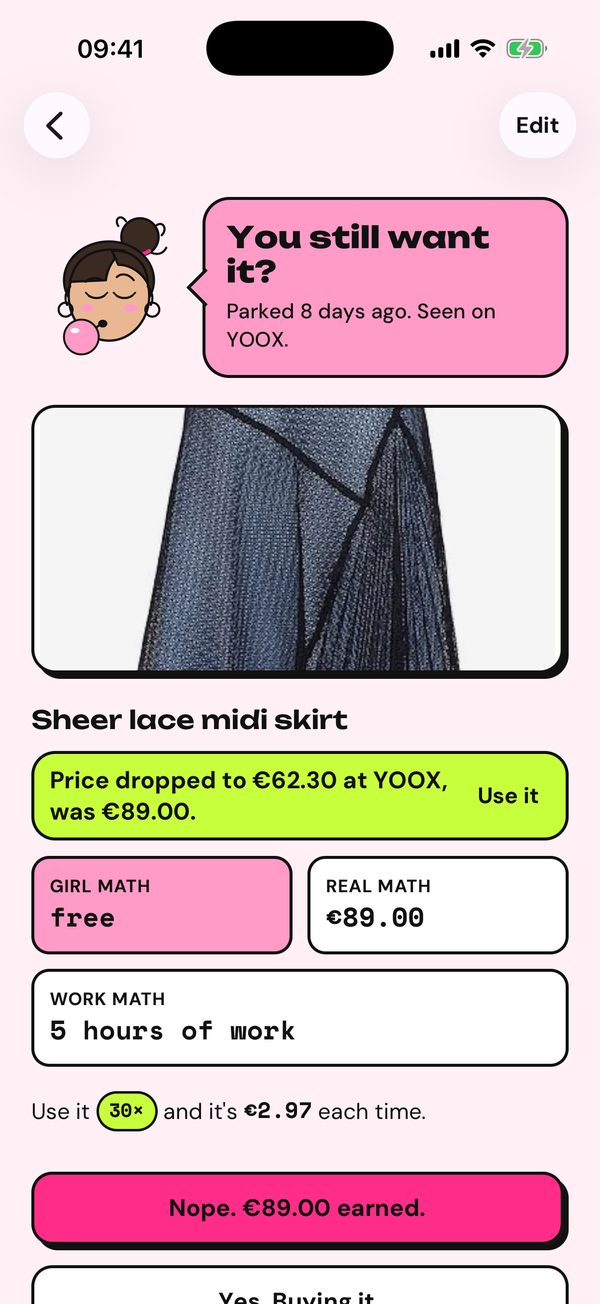
When the time is up, Girl Math asks: you still want it? Before you answer, it shows the math.
- Girl math: free. That's the joke.
- Real math: the price.
- Work math: how many days of work it costs, once you've set your pay.
- Cost per use: what each wear or use costs.
Then choose:
- Nope. Its price is added to your receipt as money earned.
- Yes. Buying it. It moves to Bought, where you can add the return date.
- One more week. Not sure yet? It waits seven more days.
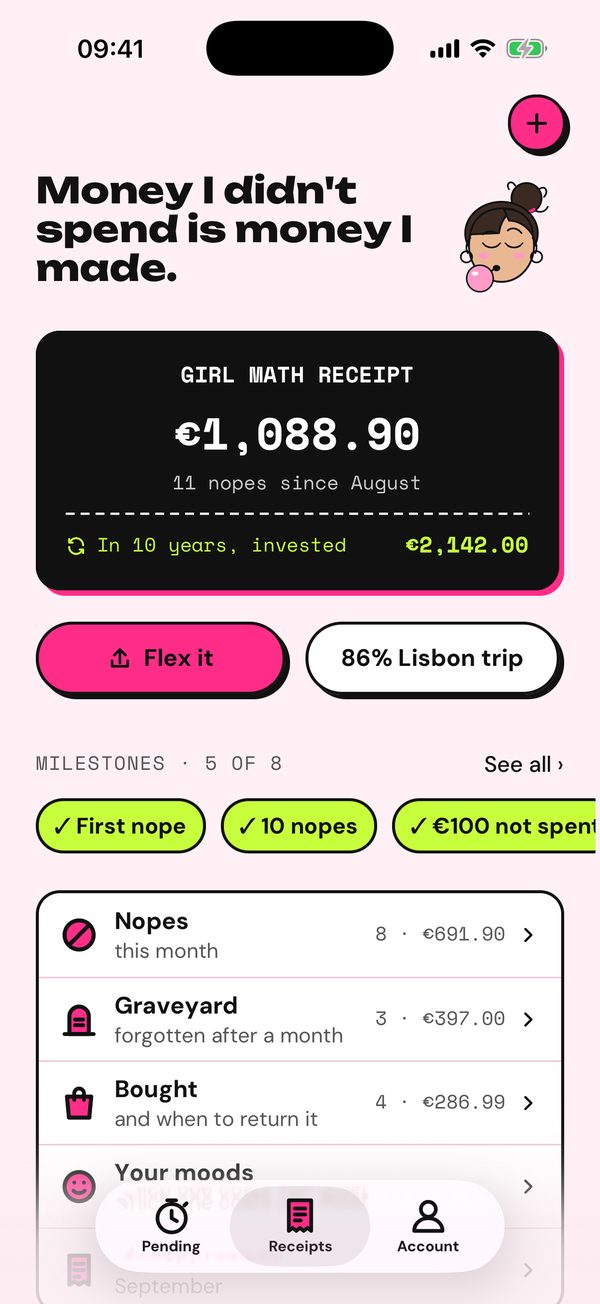
Receipts
The black receipt is the total of every nope: what you didn't spend, and since when.
- Tap the receipt to flip it and see what that money would be in 10 years, invested at 7% a year.
- Flex it shares the receipt as a picture.
- The goal button shows how far you are with what you're saving for.
- Below: your milestones, then the lists of nopes, the graveyard, what you bought, and your moods.
Nopes, Graveyard, Bought
- Nopes: what you said no to in the last month, with the total.
- Graveyard: nopes older than a month. Wanted it badly, forgot it completely.
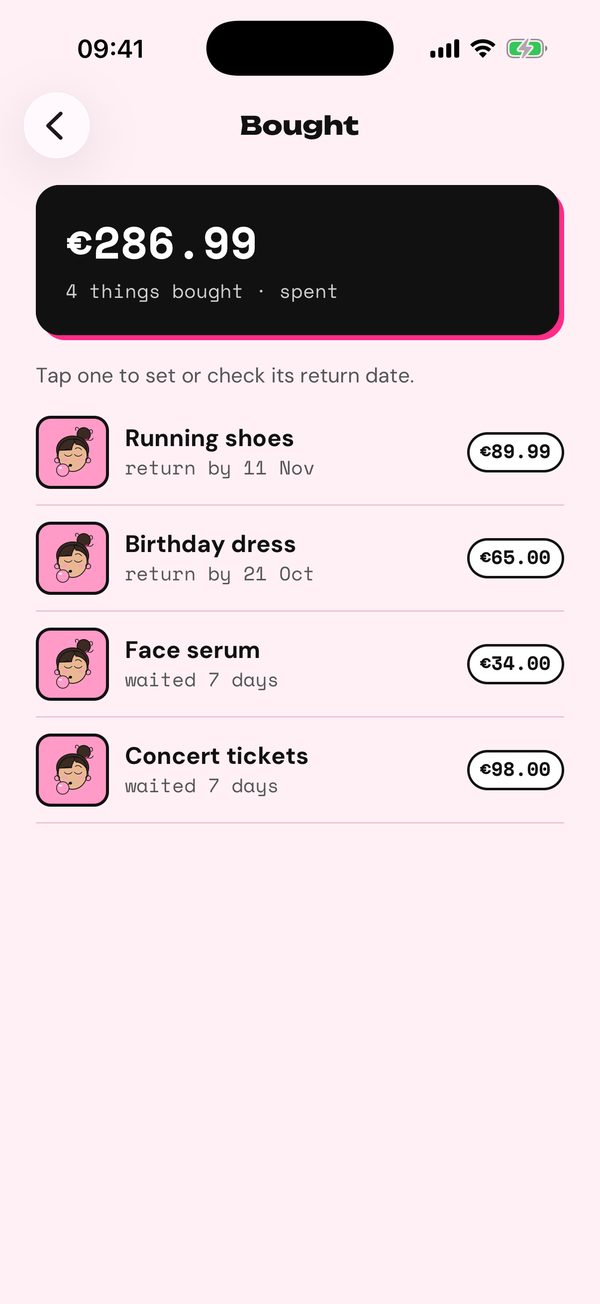
- Bought: what you did buy and how long you waited. Tap one to set its return date; you get a reminder two days before the window closes.
Milestones
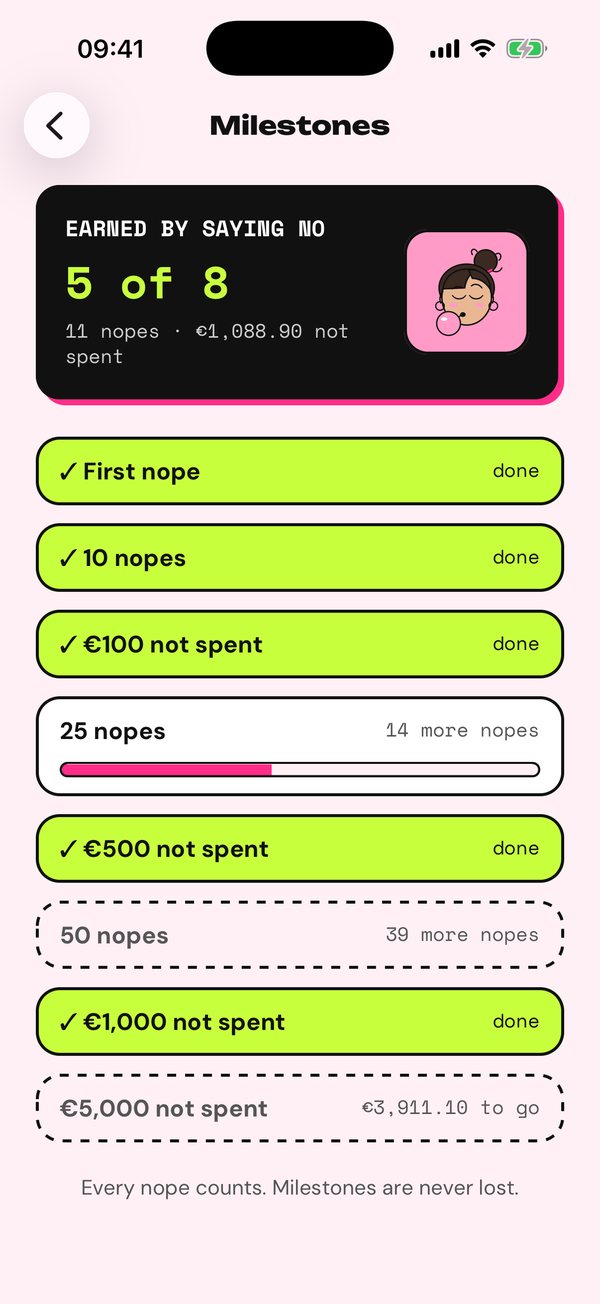
Eight little wins for saying no. They're never lost and there are no streaks to break.
| Milestone | You get it at |
|---|---|
| First nope | 1 nope |
| 10 nopes | 10 nopes |
| €100 not spent | €100 |
| 25 nopes | 25 nopes |
| €500 not spent | €500 |
| 50 nopes | 50 nopes |
| €1,000 not spent | €1,000 |
| €5,000 not spent | €5,000 |
Receipts shows the ones you have and the next one. Tap See all for the full list, with a progress bar on the next one and what's left for each.
Monthly recap
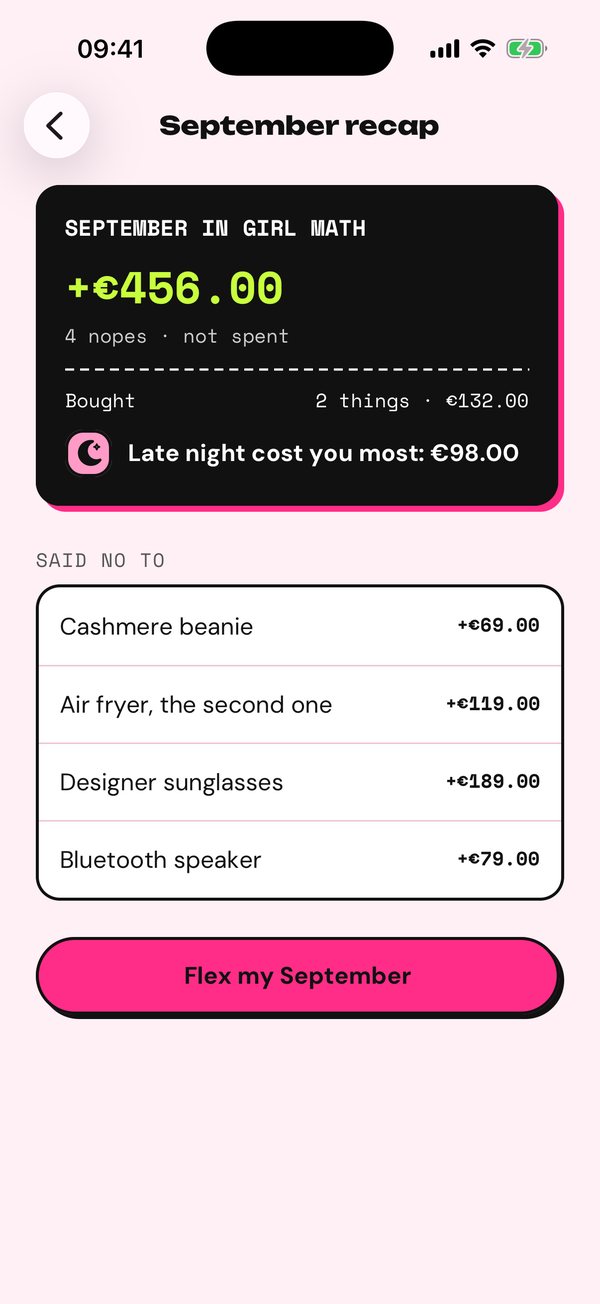
On the 1st of each month at 10:00 you get your last month in girl math: what you didn't spend, what you said no to, what you bought, and which mood cost you most.
Until you've seen it, a card on Receipts opens it. Flex my September (or whichever month) shares it as a receipt picture.
Saving for a goal
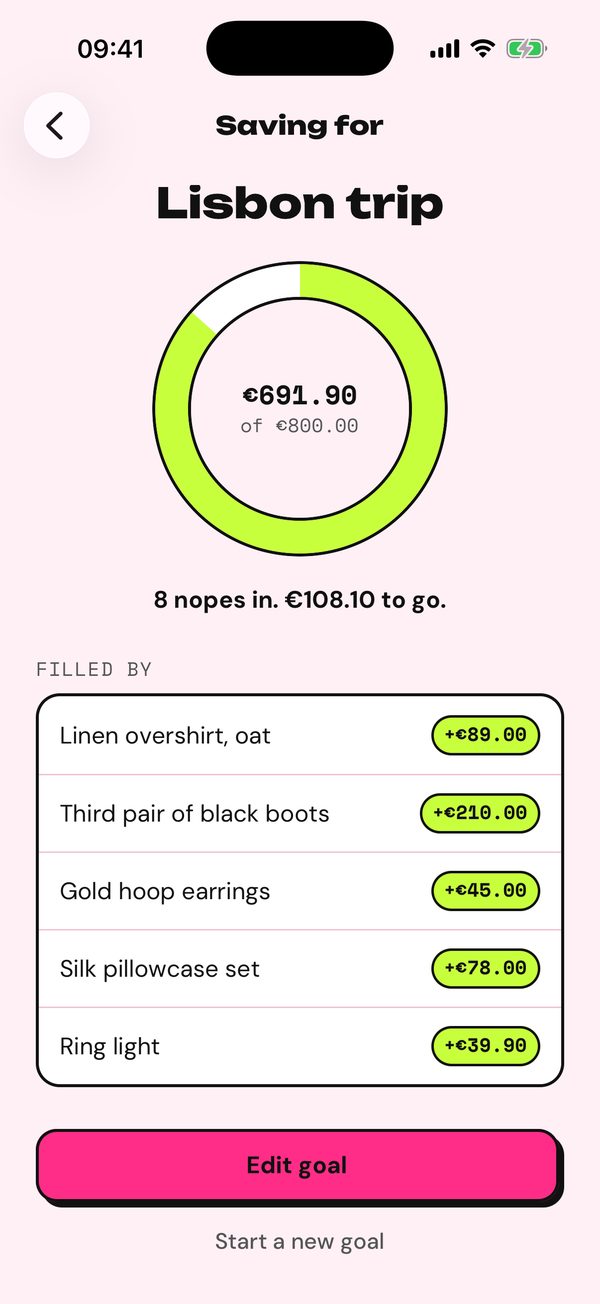
Name what you're saving for and how much it costs: a trip, a bag, rent. Every nope from then on fills the ring.
- After a nope, Decide tells you how much is left, and celebrates each quarter.
- Until gives it an end: the end of the month, 30 days, or none. Only nopes up to the end count, and the ring shows the days left. No-Buy plus the month fills in the name and the end of the month in one tap.
- When it's reached or over, Flex it shares it as a story receipt.
- Edit goal changes the name, amount or end and keeps what's already counted.
- Start a new goal keeps the old one in your history, with what you saved for it.
Find it in Receipts (the goal button) or Account › Saving for.
Moods
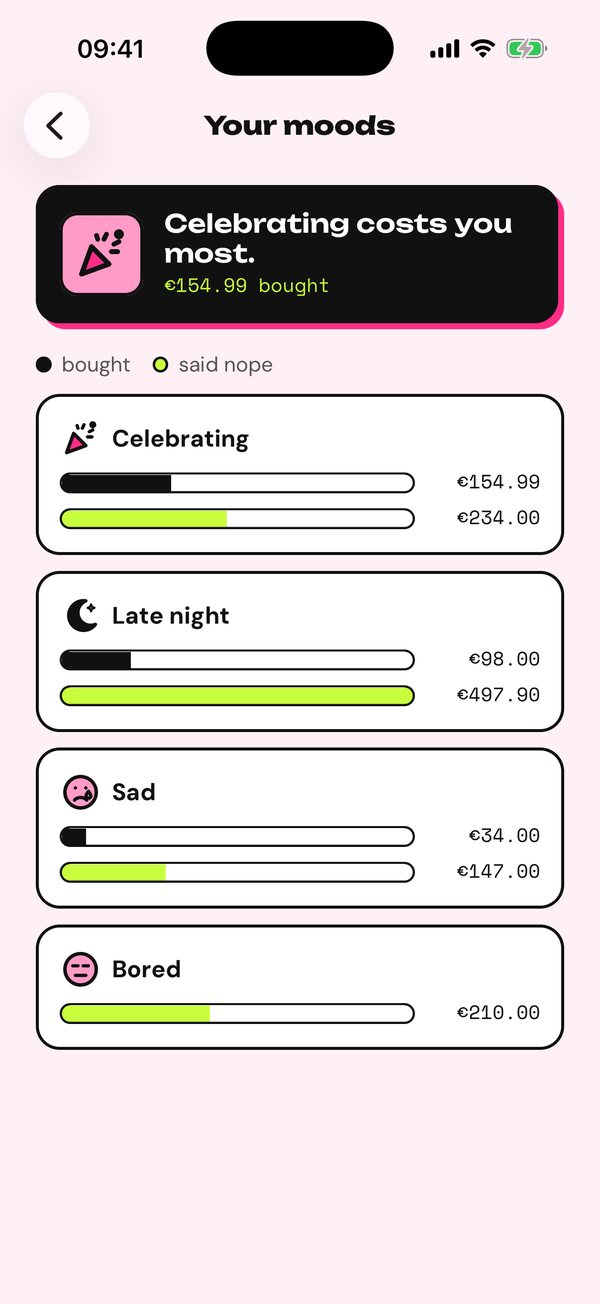
Tag how you feel when you park something: bored, sad, celebrating or late night. Once a few are decided, Your moods shows, for each mood, what you bought and what you said no to, with the costliest mood on top.
It's in Receipts › Your moods.
Gift list
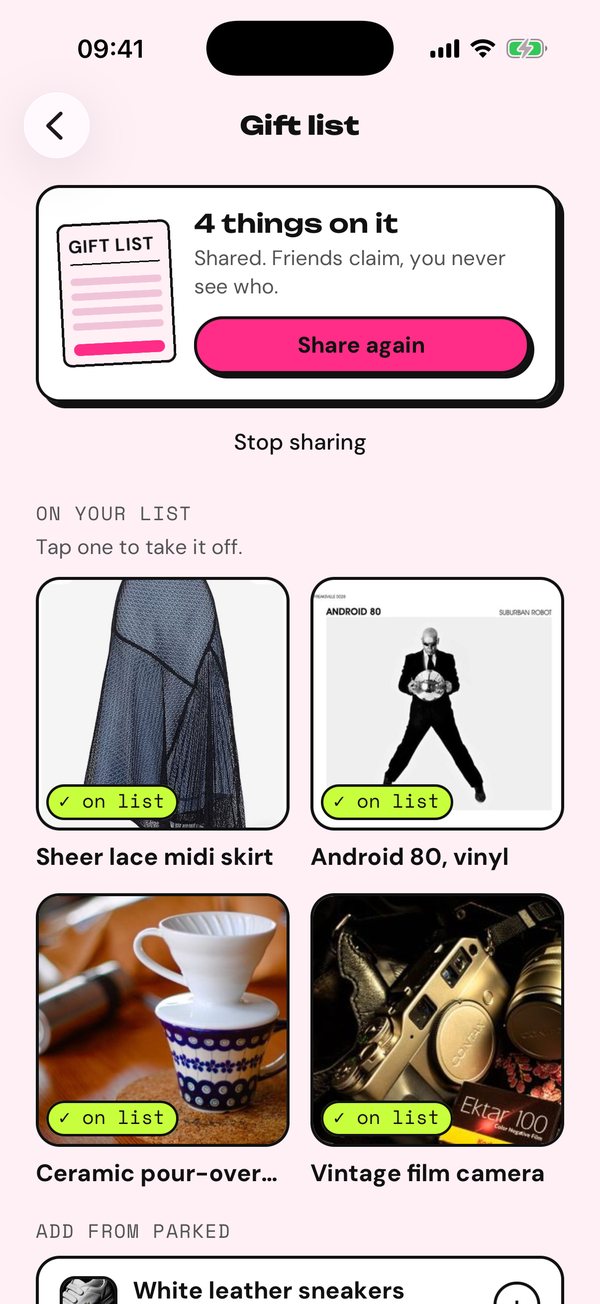
Parked or noped something you'd love as a present? Put it on your gift list and share one link.
- Account › Gift list, then Share. Send the link however you like.
- Add things from your parked list or your nopes; tap one to take it off.
- Friends open the link in any browser, no app needed, and tap I'll get this. Everyone else then sees "Someone's getting this", so nobody buys it twice.
You never see who claimed what. Stop sharing turns the link off straight away.
Widget
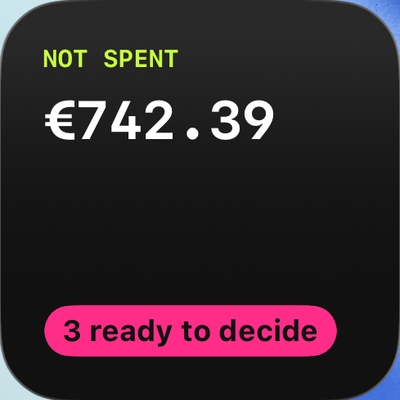
Put what you didn't spend on your Home Screen, with how many things are ready to decide. There's a small and a medium size, and two for the Lock Screen.
- Touch and hold the Home Screen until the apps jiggle.
- Tap Edit, then Add Widget, and search for Girl Math.
- Choose a size and tap Add Widget.
Tap it to open Pending when something is ready, or Receipts otherwise. It updates about every half hour.
Work math
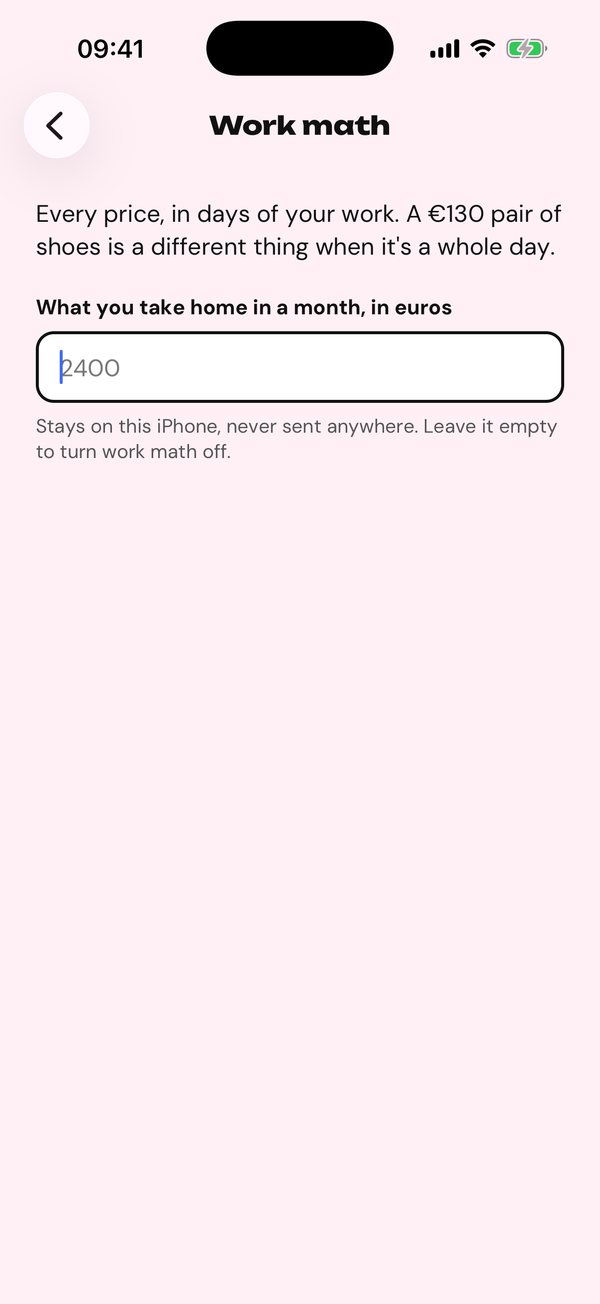
Enter what you take home in a month and every price also shows in days of work. A €130 pair of shoes is a different thing when it's a whole day.
Your pay stays on your iPhone and is never sent anywhere. Leave it empty to turn work math off. It's in Account › Work math.
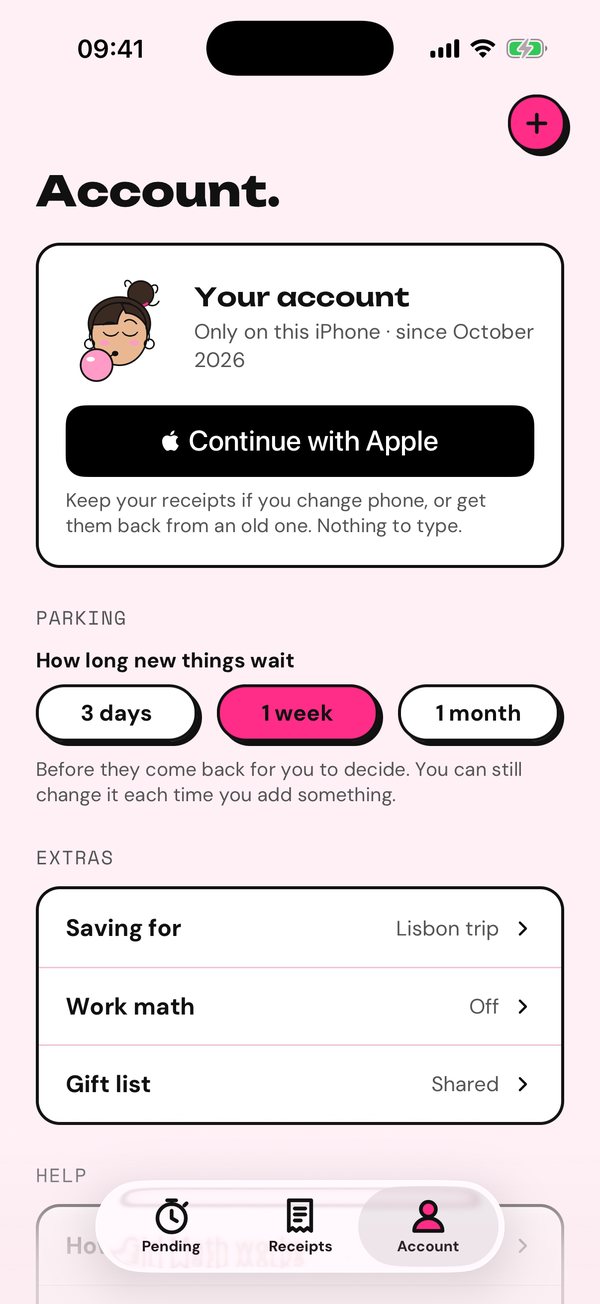
Account and privacy
- Continue with Apple saves your list to your Apple account, so you keep it when you change phone. Until then it only lives on this iPhone; once you've parked three things, Pending reminds you once.
- How long new things wait: 3 days, 1 week or 1 month.
- Saving for, Work math and Gift list live here too.
- Delete my account removes your list, photos and account for good.
No ads and no tracking. Photos and links you park are read by Anthropic's Claude only to fill in the name and price. Details are in the privacy policy.
Every reminder
Girl Math only nudges when there's something to do.
| When | What it says | Opens |
|---|---|---|
| When a thing's time is up | "Time's up. Parked 7 days ago. Seen on YOOX. Still want it?" | Decide |
| Sundays at 18:00, if something is ready | "Decision day: 3 things are ready to decide. It takes a minute." | Pending |
| When a parked price drops 3% or more | "Price dropped: … is now €62.30, was €89.00. Still want it?" | Decide |
| Two days before a return window closes | "You can return it until Friday. Still happy with it?" | Bought |
| The 1st of the month at 10:00 | "Your month in girl math." | Recap |